LOCAL AI SYSTEMS STUDIO

Local intelligence,
made operable.

A desktop workspace where local AI agents research the web, work with files, and use your connected tools.

MEET DESKLEMUROSKeep the plan, permissions, and results in view. Bring your agents into Chrome and VS Code when the work takes you there.

New here? Find your starting point
INSIDE DESKLEMUROSApp interface · example data
A result you can open and review.Inspect a saved brief, check its source, and ask for the next revision.

Captured from the app’s interface with sample data. Features vary by edition.

001 — INDEPENDENT SYSTEMS FOR AN INTELLIGENT FUTURE

FEATURED PRODUCT / 01

From a model
to a working system.

DeskLemurOS

Turn a request into a plan, tool activity, and a result you can review.

Research a topic, compare project files, update a connected service, or continue earlier work. DeskLemurOS brings your model, agents, tools, and memory into one desktop workspace, with permissions and execution details close at hand.

Run on your hardware. Standard and Pro use the bundled llama.cpp engine for local inference.

Reliable workflows on smaller models. Developed and tested with Gemma 4 26B A4B, with guardrails that help catch and correct common output and tool-argument errors.

START WITH A REQUEST

“Compare these project notes and save a brief.”
01
Choose the inputs

Select the agent, project files, and workspace it can access.

02
Follow the work

Inspect the plan, file reads, and tool results as the agent prepares the brief.

03
Review and refine

Open the saved file, check the supporting material, and ask for changes.

Illustrative task · not a live session.

BUILT AROUND THE WORK

The controls behind each task.

  • Agents with useful context

    Give agents distinct roles and review what each remembers about you. Edit, lock, or forget selected profile memories without erasing chat history.

  • Tools that do the work

    Read and edit files, research the web, and use supported MCP connections. Run independent calls in batches or link dependent steps in a pipeline.

  • Routine work, scheduled

    Schedule recurring agent tasks and monitor web sources or local process events. Review approvals and notifications while the app is running.

  • Boundaries you choose

    Set tool permissions and the runtime’s file access scope. Keep a task inside its project or allow broader access when the work calls for it.

  • A run you can inspect

    Follow plans, model output, tool results, tokens, and guard events. See how an answer was produced and where a step needs attention.

  • Less input to process

    DPMS reduces input token usage to help speed up input processing. Explore the v1 measurement and see what the comparison covers.

    View the measurement

HYBRID GUARDRAILS

Strong guardrails.
Model-led decisions.

Static prompt rules and validation work alongside context-aware guidance to help models produce well-formed, task-aligned outputs. These guardrails are designed to preserve the LLM’s own judgment in planning, tool selection, and adapting its approach within your chosen permissions.

Explore the guardrails

Available tools, integrations, and workflows depend on your edition, model, and configuration.

ONE APP. MORE PLACES TO WORK.

In your browser.
In your editor.

Bring your DeskLemurOS agents into the tools you already use. Both extensions connect to a compatible desktop app running on the same computer.

Chrome Pages & interactionDeskLemurOSAgents · tools · permissionsVS Code Agent chat & project work
BROWSER BRIDGEChrome 120+

Read. Click. Explore.

Let your agents open pages in Chrome, read their content, and interact with ordinary page controls through the app’s websurfing tool.

  • Navigate, click, fill forms, and check the resulting page.
  • Work in task tabs opened by DeskLemurOS.
  • Keep search and page reading available without the extension.
Connect Chrome
  1. Download and extract the extension source. Open chrome://extensions, enable Developer mode, choose Load unpacked, and select the folder containing manifest.json.
  2. In DeskLemurOS, open Tools → websurfing → Policy. Choose Register with Chrome and enable Browser Bridge.
  3. Open the extension popup and check for Connected to DeskLemurOS.

Interactive actions need the connected bridge. Support varies by page; some embedded or custom controls are unsupported.

AGENTS FOR VS CODEVS Code 1.104+

Your agents, in your editor.

Select a DeskLemurOS agent in VS Code’s chat model picker. Give it a task and follow its progress without leaving your project.

  • See the agent’s steps, answer, and changed files.
  • Review workspace access, edits, and commands in DeskLemurOS.
  • Stop the running turn directly from VS Code.
Connect VS Code
  1. In DeskLemurOS, open Easy Setup → Connections → Coding tools and choose Turn on. The app can install its bundled extension.
  2. Run DeskLemurOS: Connect in VS Code, then choose Allow in the DeskLemurOS window.
  3. Choose an agent under DeskLemurOS in the chat model picker. If hidden, open Manage Language Models.

Requests run through DeskLemurOS’s agents and tools. Edits and commands wait for approval in the desktop app.

FIND YOUR STARTING POINT

Start with
your workspace.

The desktop app runs the agents. Add the connections that fit your work.

  1. 01

    Check the desktop app

    Follow project updates for app availability and supported builds. Choose a model that fits your hardware.

    Read project updates
  2. 02

    Choose your edition

    Standard and Pro use bundled llama.cpp for local inference. Pro adds DPMS to reduce input token usage.

    Compare Standard and Pro
  3. 03

    Connect your everyday tools

    Already running the app? Connect Chrome for page interaction or VS Code for agent chat and project work.

    Explore the extensions

DESKLEMUR LABS

Ideas behind
the operating layer.

Research directions that shape DeskLemurOS. Explore the vision, questions, and systems we want to build.

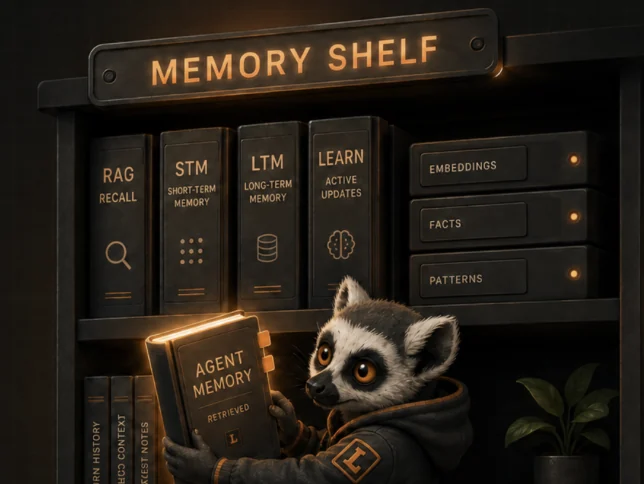
An illustrated memory shelf with separate compartments
01RESEARCH DIRECTION

Memory, with boundaries.

What should an agent remember, who can access it, and when should it forget? A direction for memory with clear boundaries.

Explore memory governance
A DeskLemur engineer working on a local AI system
02PRODUCT PHILOSOPHY

Discovery to engineering.

A capable model is a starting point. The next challenge is making it part of an understandable, operable system.

Read the philosophy
FROM QUESTIONS
TO RESEARCH

Explore DeskLemur Labs.

DPMS · DIRECT PLASTICITY

Less input today.
Toward more adaptive AI.

DPMS v1 reduces input token use. Direct Plasticity explores AI that adapts through experience.

  • v2Development complete
  • v3In development
  • v4Future direction · after v3

Research milestones, not release dates.

FROM THE DESK

Notes from
the work.

Read project notes and updates in the news archive.

View all news →

COMMUNITY

Build with
the curious.

Building local AI systems takes curiosity, careful engineering, and useful feedback. Explore the extensions, follow project updates, or get in touch about what you want to build.

Explore extensions Say hello →

ABOUT DESKLEMUR

Built around
local work.

DeskLemur is an independent software project building practical systems around local AI: agents with tools, memory you can review, and work you can inspect.

DeskLemurOS is the desktop workspace at the center. Its companion extensions bring that workspace into your browser and editor, while Labs shares the research directions behind it.

Get in touch

App interface

App interface captured with example data · features vary by edition.